Rhythm Plus
Create, play, share your beats
Browser playable
Embed available; full test pending
Source
Source attribution pending
Device notes
No download; play in browser
Table of Contents
Trending now



If you enjoyed Rhythm Plus, try these next


Rhythm Plus: Create, play, share your beats
What if you could play any song you've ever loved as a rhythm game — not just the tracks developers chose for you? Rhythm Plus turns that question into reality with an open-source vertical scrolling rhythm game (VSRG) that lets you create, play, and share custom beatmaps for any song in the world. Built on community-driven content, it's like having a DDR machine in your browser where the song library is literally unlimited. Unlike traditional rhythm games that lock you into a fixed soundtrack, Rhythm Plus is built around user-generated content. The community has already mapped thousands of songs across every genre imaginable — from anime openings and K-pop hits to classical music and meme tracks. And if your favorite song isn't available yet, you can create a beatmap yourself using the built-in editor. It's rhythm gaming without boundaries.
If you enjoy music, you'll love our full library of free online music games — all playable instantly in your browser, no downloads needed.
Did You Know?
Rhythm Plus was inspired by osu!mania and StepMania, two of the most influential VSRG communities. Its open-source nature means anyone can fork the code and create their own custom rhythm game variant.
Key Features
Why You'll Love It
If you're a fan of pick-up-and-play games that respect your time, Rhythm Plus is tailor-made for you. It's perfect for those moments when you want quick, satisfying fun without a steep learning curve — offering a refreshing blend of simplicity and addictive gameplay. The easy-to-learn controls and instant action ensure you're always just one click away from a great time.
How to Play Rhythm Plus
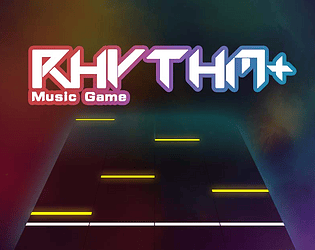
Rhythm Plus uses a classic vertical scrolling layout: notes fall from the top of the screen toward a judgment line at the bottom. Your goal is to press the corresponding key (or tap the lane on mobile) at the exact moment the note reaches the line. Timing is everything — hitting notes with perfect accuracy scores more points and builds your combo multiplier. Missing notes breaks your combo and drains your life bar. Getting started is easy. Pick any song from the community library, choose your difficulty (from Beginner to Expert+), and jump in. You can customize your key bindings in the settings menu to match your preferred play style. The game also supports multiple scroll speeds, note skins, and visual effects so you can tailor the experience exactly how you like it. If you want to create your own beatmap, the editor is accessible directly from the main menu.
Disclaimer: These are the standard controls for this type of game on PC Browser with Keyboard/Mouse. The actual controls may be slightly different.
| Action / Purpose | Key(s) / Gesture |
|---|---|
| Click or press corresponding keys as notes fall. Custom key bindings available in settings. Space | start/pause. |
Tips & Tricks
Start with 'Auto' mode on a new song to watch the note patterns before attempting to play them — essential for Expert+ charts
Adjust your scroll speed in settings. Faster speeds reduce visual clutter but require faster reaction times; experiment to find your sweet spot
Join the Rhythm Plus Discord community to discover curated beatmap packs and participate in mapping contests
If you're creating a beatmap, use the waveform visualizer to align notes precisely with audio peaks for satisfying gameplay
Why Play Here?
Unlimited Songs
Unlike fixed-tracklist rhythm games, the community library grows every day with new beatmaps for any song.
100% Free & Open Source
No ads, no paywalls, no premium content. The entire game is free and the code is public on GitHub.
Create Your Own Content
The built-in editor lets you map any song — your favorite anime OP, that obscure indie track, anything.
Active Community
Join the Discord server to share your maps, discover new songs, and participate in events.
Looking for more music games? Browse our full catalog →
Play Rhythm Plus on Mobile & Chromebook
Want to play Rhythm Plus on your phone or school Chromebook? Good news — Rhythm Plus runs directly in your mobile browser with no download, no app store, and no installation required. Just tap the "Play Now" button above and the game loads instantly.
📱 Mobile (iPhone / Android)
Open this page in Safari or Chrome on your phone. Tap "Play Now" — the game adapts to touch controls automatically. Works on iOS and Android.
💻 Chromebook / School Laptop
No admin permissions needed. Just open Chrome, visit this page, and play. Zero installs, zero blocks — the game runs right in the browser tab.
Tip: For the best experience, use landscape mode on mobile and close other tabs to free up memory. Rhythm Plus is optimized to run smoothly even on older devices.
Frequently Asked Questions
Discuss: Rhythm Plus
Finally found a browser rhythm game that actually feels like StepMania! The beatmap editor is surprisingly powerful for being web-based.
Love how I can play my favorite K-pop songs as beatmaps. Community is super active and new charts drop almost daily.
The fact that this is completely open source and has no ads is incredible. I even contributed a bug fix to the GitHub repo!