FNF Huggy Wuggy Test
Huggy Wuggy joins the battle!
Table of Contents
Trending now

If you enjoyed FNF Huggy Wuggy Test, try these next


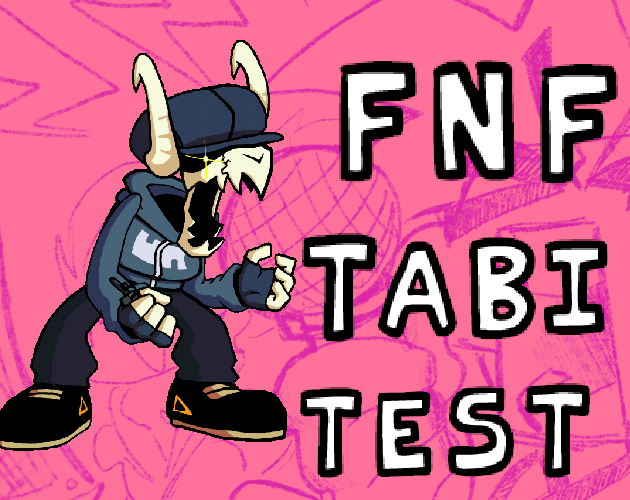
FNF Huggy Wuggy Test: Huggy Wuggy joins the battle!
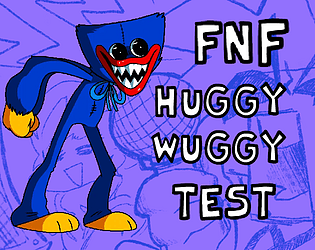
When two internet phenomena collide, magic happens. FNF Huggy Wuggy Test brings the terrifying blue monster from Poppy Playtime into the Friday Night Funkin' arena, letting you step into Huggy's fuzzy shoes and unleash rhythmic chaos on Boyfriend. This crossover mod test captures the unsettling energy of Poppy Playtime's most iconic character while staying true to the tight rhythm gameplay that FNF fans crave. Built as a faithful adaptation of the VS Huggy Wuggy mod by KJElliott, this browser version lets you experience the full Huggy encounter without downloading anything. Play as Huggy Wuggy himself — complete with towering animations, creepy audio cues, and that signature wide-mouthed stare. The game includes both the original keyboard controls and a mobile-friendly touch mode, making it accessible whether you're on a desktop or tapping away on your phone during a break.
If you enjoy music, you'll love our full library of free online music games — all playable instantly in your browser, no downloads needed.
Did You Know?
The VS Huggy Wuggy mod was created by KJElliott during the peak of Poppy Playtime's popularity in 2022, riding the wave of both FNF modding and indie horror gaming trends.
Key Features
Why You'll Love It
If you're a fan of pick-up-and-play games that respect your time, FNF Huggy Wuggy Test is tailor-made for you. It's perfect for those moments when you want quick, satisfying fun without a steep learning curve — offering a refreshing blend of simplicity and addictive gameplay. The easy-to-learn controls and instant action ensure you're always just one click away from a great time.
How to Play FNF Huggy Wuggy Test
Controlling Huggy Wuggy is similar to standard FNF gameplay but with some unique twists. Use the Arrow Keys to hit the scrolling notes as they reach the target zone — standard rhythm game fare. But Huggy has secondary sounds too: hold the Space bar and press any Arrow Key to trigger alternate vocal samples that add variety to your performance. Press the 1 key for an extra sound byte that can throw off your opponent's rhythm. On mobile, the game displays an on-screen D-pad for primary notes and an 'A' button for secondary sounds. Tap the toggle switch to switch between touch and keyboard modes. The Star button replaces the 1 key for extra sound bytes. One cool feature: holding any button lets Huggy sustain a pose, which looks awesome and can psych out your opponent if you time it right during break sections.
Disclaimer: These are the standard controls for this type of game on PC Browser with Keyboard/Mouse. The actual controls may be slightly different.
| Action / Purpose | Key(s) / Gesture |
|---|---|
| Arrow keys | play notes. Space + arrow for secondary sounds. Press 1 for extra sound bytes. Toggle touch controls in-game. |
Tips & Tricks
Experiment with the secondary sound system — mixing primary and secondary notes creates more interesting musical patterns
Hold poses during song breaks to intimidate your opponent; it doesn't affect gameplay but looks incredibly cool
The Star button (1 key) triggers a special sound byte that can disrupt the flow — use it strategically, not randomly
On mobile, switch to landscape mode for more comfortable two-handed play with the D-pad and action buttons
Why Play Here?
Unique Character
Play as Huggy Wuggy himself — not just facing him, but controlling the iconic Poppy Playtime monster.
Dual Sound System
Primary and secondary sound notes add musical depth beyond standard FNF note-hitting mechanics.
Original Mod Adaptation
Faithful browser port of the popular VS Huggy Wuggy mod with all animations and vocals intact.
Mobile Ready
Touch controls let you spread Huggy's rhythm wherever you go — phone, tablet, or Chromebook.
Looking for more music games? Browse our full catalog →
Play FNF Huggy Wuggy Test on Mobile & Chromebook
Want to play FNF Huggy Wuggy Test on your phone or school Chromebook? Good news — FNF Huggy Wuggy Test runs directly in your mobile browser with no download, no app store, and no installation required. Just tap the "Play Now" button above and the game loads instantly.
📱 Mobile (iPhone / Android)
Open this page in Safari or Chrome on your phone. Tap "Play Now" — the game adapts to touch controls automatically. Works on iOS and Android.
💻 Chromebook / School Laptop
No admin permissions needed. Just open Chrome, visit this page, and play. Zero installs, zero blocks — the game runs right in the browser tab.
Tip: For the best experience, use landscape mode on mobile and close other tabs to free up memory. FNF Huggy Wuggy Test is optimized to run smoothly even on older devices.
Frequently Asked Questions
Discuss: FNF Huggy Wuggy Test
Finally I can play AS Huggy instead of just running from him! The secondary sound system makes the gameplay way more interesting.
Solid adaptation of the mod. The pose holding mechanic is a nice touch even if it's just cosmetic.
Runs butter-smooth on my Android tablet. Touch controls take a minute to get used to but then it's perfect.